 KV Software
iPhone video and HDR
How to convert iPhone HDR video to SDR
Every way to turn an iPhone HDR clip into standard SDR video, so it stops looking gray and washed out on Windows, Discord and older TVs. Free options first, then the iPhone apps, with App Store prices checked on 24 October 2026.
I make one of the apps, SDR Ready, and it is marked as mine. The other apps are described from their own App Store pages, prices in US dollars.
First, check the clip is HDR
If a video looks washed out, it is almost always HDR, but check before converting. The free HDR video check reads the file in your browser and tells you if it is Dolby Vision, HLG, HDR10 or already SDR.
Quick answer
- Stop it happening on new clips: turn off HDR Video in Settings, Camera, Record Video.
- One clip, free, on the iPhone: export it from iMovie with HDR turned off.
- Many clips, on the iPhone: a converter app, batch and done.
- On a computer, free: HandBrake or Shutter Encoder, if you are fine with their settings.
The free ways
Turn off HDR for future videos
Open Settings, tap Camera, then Record Video, and turn off HDR Video. It only changes clips you record from now on. Everything you already shot stays HDR.
iMovie on the iPhone
Apple's iMovie can export an SDR version of a project. When you share the movie, tap Options and turn HDR off, as Apple's support page on editing HDR video describes. It works well for one video at a time, and each clip goes through a project.
Free tools on a computer
HandBrake's colorspace filter set to BT.709, or Shutter Encoder changing the colorspace from Rec. 2020 to Rec. 709, convert HDR files to SDR. They are free and powerful, and the result depends on the settings you choose, so test one clip first.
iPhone converter apps compared
| App | What it says it does | Price |
|---|---|---|
| SDR Ready (mine) | HDR video and photos to SDR on the phone, batch, before and after preview, Discord and email sizes, originals kept | $9.99 once |
| Tonely | HDR video to standard range, shows what will change before you commit | Free, Unlock Unlimited $4.99 |
| LumaFlow | iPhone HLG and Dolby Vision to Rec.709 SDR, aimed at editors | Free, Pro $4.99 or $14.99, Lifetime $19.99 |
| VideoFix | ProRes Log and HEVC to H.264 MP4 with Rec.709 color, including HDR to SDR | Free, Monthly $2.99, Lifetime $12.99 |
All four are new, and none had US ratings on 24 October 2026.
SDR Ready (mine)
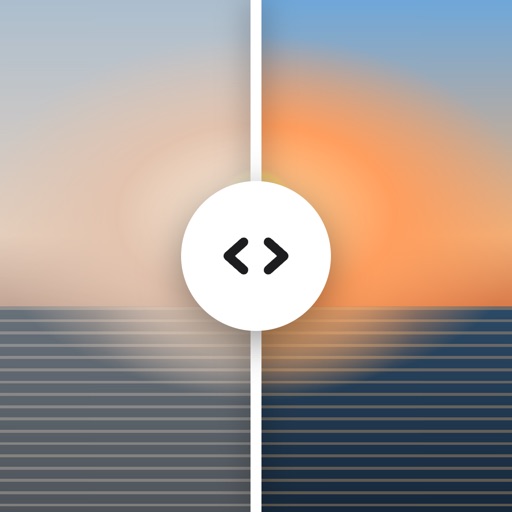
Pick videos and photos, see a split-screen preview of what other people will see, then convert. Copies land in Photos next to the originals, which are never touched. It handles Dolby Vision, HLG and HDR10, 4K and 60 fps, skips clips that are already SDR, has output sizes for Discord's 10 MB limit and 25 MB email, turns HDR photos into JPEGs, and runs fully on the iPhone with no upload. $9.99 once, no subscription.
What to look for in a converter
- Tone mapping, not relabeling. A good conversion brings the HDR brightness down so the copy looks like the original did on your phone. Changing the color tag alone leaves it looking wrong.
- Originals kept. You want a converted copy next to the original, not a replacement.
- On the device. Converting on the iPhone means your videos are never uploaded anywhere.
- Batch and sizes. If you send a lot of clips, converting many at once and fitting a size limit saves time.
Questions
Does converting to SDR lose quality?
The copy loses the extra brightness range HDR has, which is the point: it then looks the same on every screen. Resolution can stay the same.
Why does my video look fine on the iPhone but gray on my PC?
The iPhone screen shows HDR properly. Windows players, Discord and many older TVs do not, so they show HDR video flat and gray. More in iPhone video looks washed out?
Can I convert without an app?
Yes, with iMovie on the iPhone for one clip at a time, or free desktop tools like HandBrake and Shutter Encoder.
App prices were read from the US App Store on 24 October 2026 and can change. SDR Ready is made by Karolis Valatka, who wrote this page. Spot something wrong about another app? info@kv-software.com, and I will fix it.